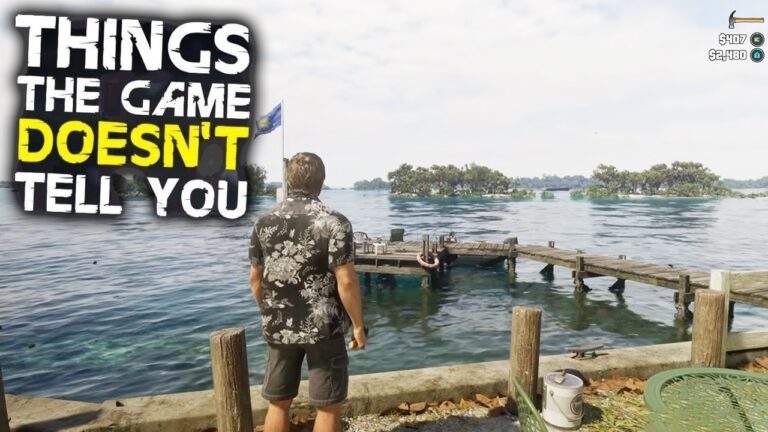
Grand Theft Auto 6 is huge, ridiculous, and so damn fun that it is easy to spend hours causing trouble without noticing the little systems that would make life easier. I certainly did. Shooting ranges, spare outfits, garage space, even the ability to shove a stranded boat back into the water: some of the most useful discoveries are not the big, flashy ones.
I’ve kept these GTA 6 tips as spoiler-free as possible. There are no story reveals here, just the mechanics, settings, and shortcuts I wish I had understood sooner.
Key Takeaways
- Shooting ranges improve focus and unlock more involved challenges as you progress.
- Vehicle-stored outfits, garages, and partner selling jobs cut down on unnecessary return trips.
- Focus, binocular tagging, distractions, and suppressed weapons make a quieter approach worth trying.
- Reaching Vice City through the story takes time, and cheats require finishing the main storyline plus individual unlock goals.
Table of Contents
- 10. Shooting Ranges Are Much More Than Target Practice
- 9. Check the Controls and Targeting Settings Before Fighting Your Muscle Memory
- 8. The Radio Menu Hides a Whole Set of Vehicle Controls
- 7. Use the Nearby-Activity Interface and Focus Outside Combat
- 6. Send Your Partner to Sell Stolen Goods
- 5. Garages Are Extra Bases, Not Just Places to Hoard Cars
- 4. Stealth Is More Viable Than You Might Expect
- 3. Keep Saved Outfits in Your Vehicle
- 2. You Can Push Cars and Stranded Boats
- 1. The Story Takes Its Time Getting to Vice City
- Bonus: How GTA 6 Cheats Unlock
- One Last Tip: Being Stranded at Sea Has a Surprise
10. Shooting Ranges Are Much More Than Target Practice
I didn’t properly get into shooting ranges until roughly 10 to 20 hours into the game. That was a mistake, because these things are practically little games of their own.
There are multiple challenge tiers, time limits, scoring systems, and gold medals to chase. At first, it might look like a simple opportunity to test a pistol. Keep completing challenges, though, and you unlock more involved courses, including timed runs through compounds and villas where you need to clear targets while moving.
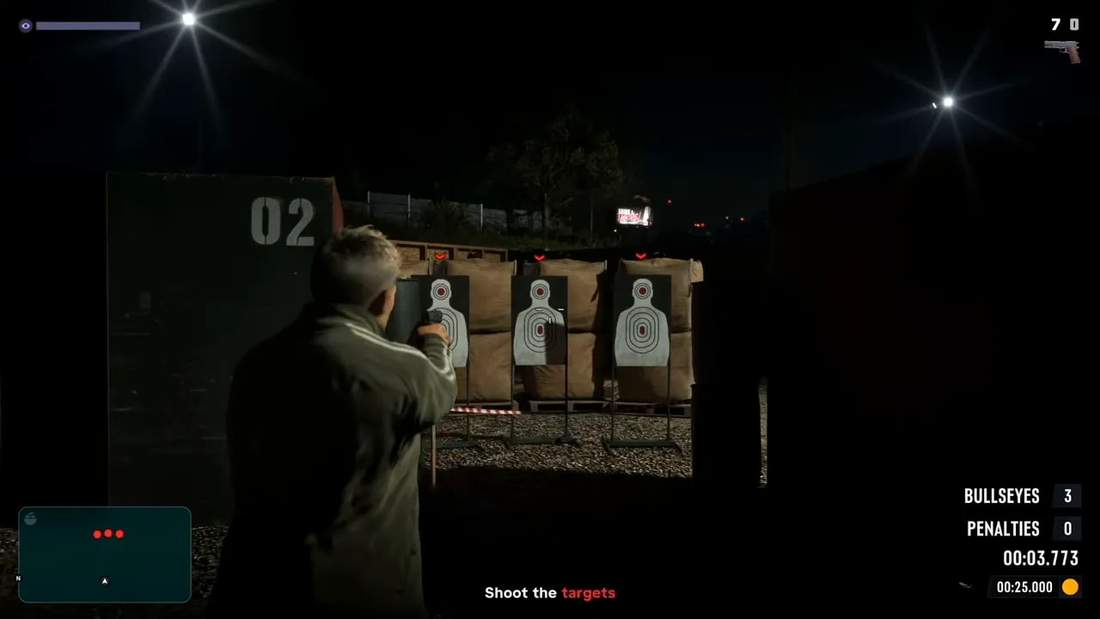
The different ranges have their own personalities, too:
- Rogers Ranch: Themed courses with targets such as zombies and robots, plus separate tiers of challenges.
- Griffin shooting range, northwest of Vice City: A more professional setup with courses you physically run through.
The practical benefit is improving your focus meter, the purple bar that gives you access to slow-motion shooting. More focus means more opportunity to line up those satisfying headshots instead of panicking and decorating the wall behind somebody.
Fishing and basketball can also improve focus, but I like the ranges because there is more to actively work towards. I’m not exactly a perfect shot, either, so the practice doesn’t hurt.
This is also my broader advice for GTA 6: don’t dismiss an activity just because it looks small. What seems like a disposable side distraction can have a surprising amount going on underneath it.
9. Check the Controls and Targeting Settings Before Fighting Your Muscle Memory
In my house, GTA means hammering X to sprint. I’ve been doing that since GTA 3. Apparently, somebody decided clicking the left stick like a normal modern video game was acceptable now. Outrageous. Obviously, I’m kidding, but old habits are stubborn.
The game does briefly flag the control options early on, but that is exactly the sort of prompt I can read and immediately forget.
Classic controls bring back the familiar layout
There are three control schemes: the new default layout, a left-handed version, and Classic. On PlayStation, Classic restores familiar inputs such as:
- X: Sprint.
- Square: Jump.
- Circle: Melee.
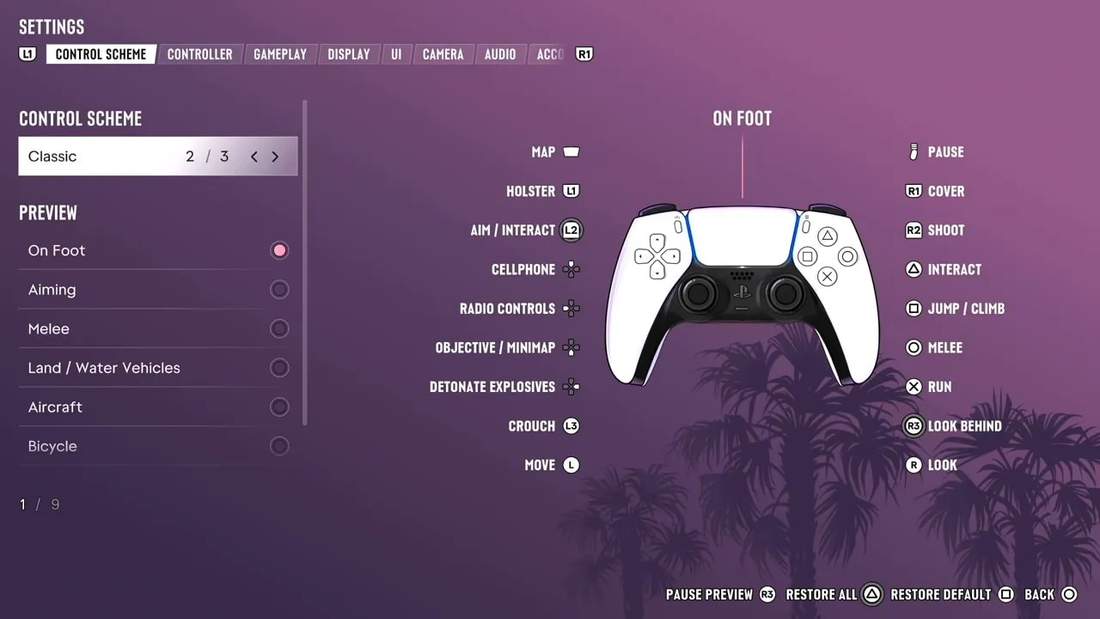
I would rather spend a minute picking a comfortable layout than several hours pressing the wrong button in a gunfight.
Partial targeting is not the same as full lock-on
Under Settings > Gameplay, take a look at the targeting options. The default Partial mode offers a light assist rather than a hard lock. In my experience, it is most noticeable when firing from the hip, not as a substitute for aiming down sights.
The important distinction is that Partial nudges your aim towards a nearby target without locking on. Free Aim is there if you want full control, while the full lock-on option changes the feel considerably if shooting is giving you trouble.
There is no prize for leaving a setting alone when it makes the game less enjoyable for you.
Cinematic options and one useful melee move
The camera settings let you adjust cinematic killshot frequency and cinematic vehicle crash frequency. I turned up the killshots because, yes, I enjoy the drama. The crash option can trigger a slow-motion cinematic moment even when the collision doesn’t kill you.
It is worth browsing the settings beyond those obvious choices. There is a substantial amount to tweak for comfort and immersion. One exception, unfortunately, is the vignette effect around the screen: I couldn’t find a way to turn it off.
One more control I took too long to discover: press the right trigger during hand-to-hand combat to attempt a grab. An enemy can resist or push you away, but a successful grab lets you land hits or throw them in another direction. It looks great and makes a scrappy fistfight feel a little less like random button pressing.
8. The Radio Menu Hides a Whole Set of Vehicle Controls
Holding left on the D-pad brings up the radio selection, which is probably where most of my attention goes when I’m driving. But the same interface has more to offer.
- Move the right stick down from the radio stations: Access on-demand podcasts for some comedy or conversation on the road.
- Move the right stick up: Open the vehicle options.
Depending on the vehicle, those options can include hazard lights, high beams, windows, the boot, or a pickup’s tailgate. Not every car has the same functions, so it is worth checking when you get into something different.
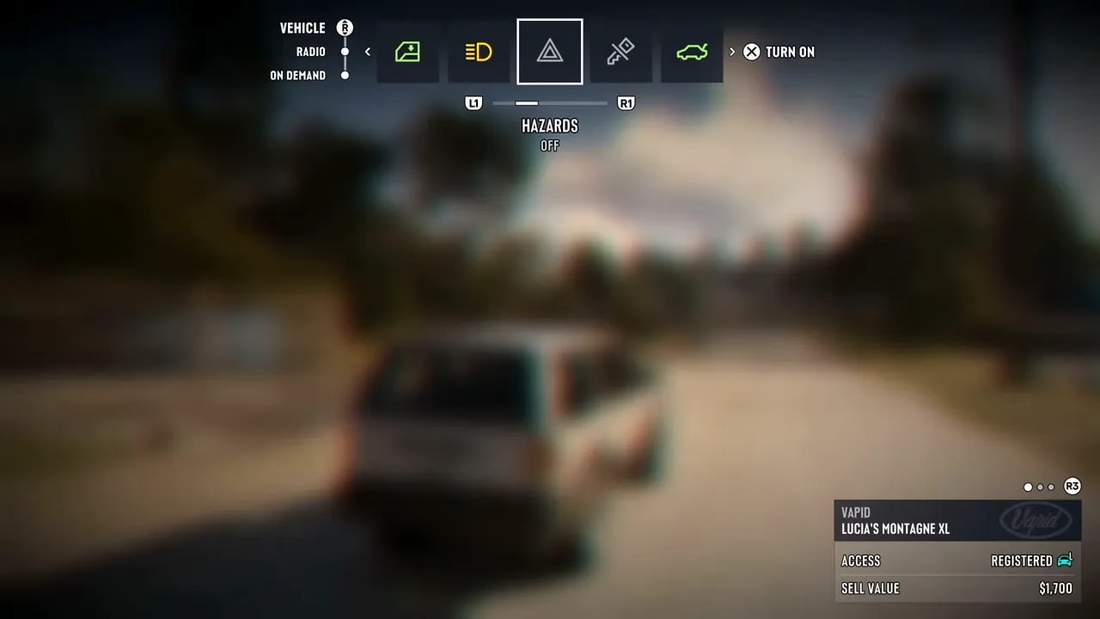
There are also turn signals outside that menu. A quick tap of the corresponding left or right D-pad direction activates an indicator, and another tap switches it off. Because control layouts can change, I would check the active vehicle bindings if the input isn’t behaving as expected.
I spent a slightly embarrassing amount of time testing whether signalling made other drivers less annoyed when I cut them off. I couldn’t get a convincing reaction. Apparently, indicating before doing something stupid doesn’t magically make it polite.
Still, I can see these little vehicle interactions being fun for roleplay. That is speculation on my part, not a promise about an online mode or its timing. For confirmed announcements, I would stick to Rockstar’s official GTA VI page.
7. Use the Nearby-Activity Interface and Focus Outside Combat
There are two useful ways to get information without constantly stopping to stare at the map or squint at a cluttered room.
Hold down on the D-pad to find nearby opportunities
Holding down on the D-pad opens a slowed-down interface with icons around you. You can look around, inspect nearby missions and activities, select something, and get a GPS route without going through the full pause-map routine.
Use the stick to navigate, or tap L1 and R1 to cycle between activities. It isn’t a perfect replacement for the map, but it cuts down on a lot of unnecessary menu visits.
It is especially handy when you’re carrying stolen goods or driving a stolen car. The interface can help you find fences, see what they buy, and compare who is offering good money for the goods you have.
Focus helps you read the environment
Clicking the left and right sticks together activates focus. In combat, that means slow-motion shooting. Outside combat, it helps identify interactive objects and useful details.
That matters because GTA 6 interiors are packed with stuff. Sometimes I genuinely cannot tell whether I’m looking at money, contraband, or just another bit of clutter on a table.
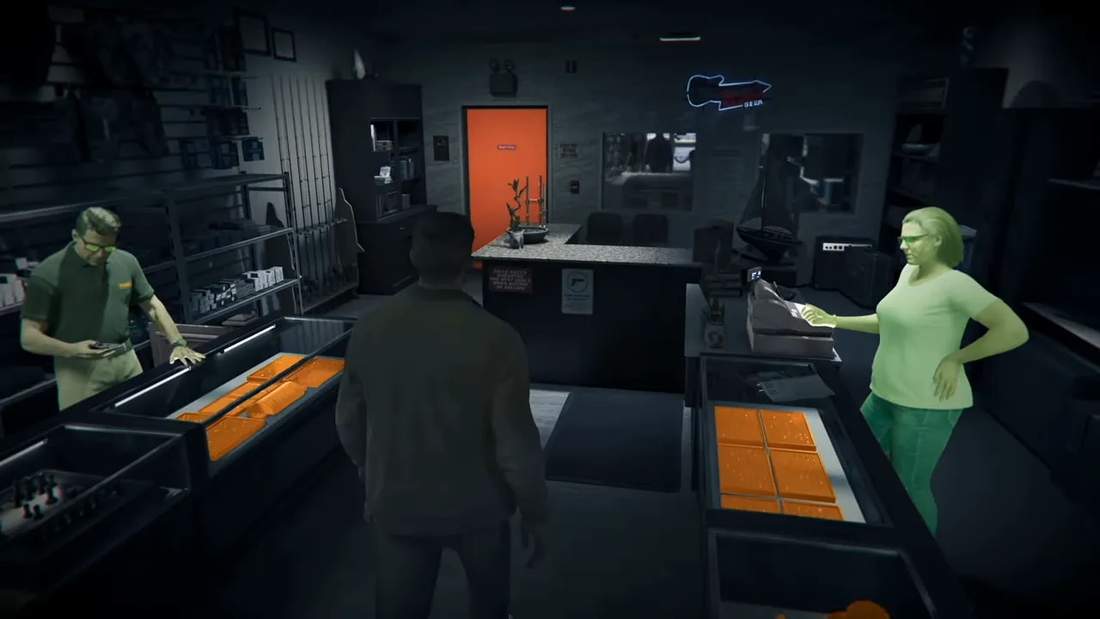
When sizing up a robbery, I use focus to look for things such as:
- Alarms and security systems.
- Safes and other useful interaction points.
- Cash, drugs, and items worth collecting.
Focus is an exploration tool, not just a combat ability. Getting into that habit makes busy interiors much easier to understand.
6. Send Your Partner to Sell Stolen Goods
Early on, I was doing robbery after robbery to earn money, then interrupting everything to deliver each bag of stolen goods to a fence. The crime was entertaining. The delivery schedule was getting old.
When the two main characters are together as a crew, you can split them up. More importantly, if you’re carrying stolen goods, you can send the other character to sell them for you.
That discovery was a godsend. Instead of personally making every trip, I could hand off the selling job and carry on with what I wanted to do.
This isn’t an option I would assume is available when the characters are already apart. But when you’re together and about to go your separate ways anyway, it is worth making that split useful.
5. Garages Are Extra Bases, Not Just Places to Hoard Cars
If you’re saving for a giant mansion, there is an important distinction to understand: the main homes and showier property changes are tied to the story. The real estate you can actively purchase is garage space.
Open the real estate app on the in-game phone to browse garages around the map. I initially ignored them because I was aggressively saving money. Once I started buying them, I realised I had been making travel more tedious than it needed to be.
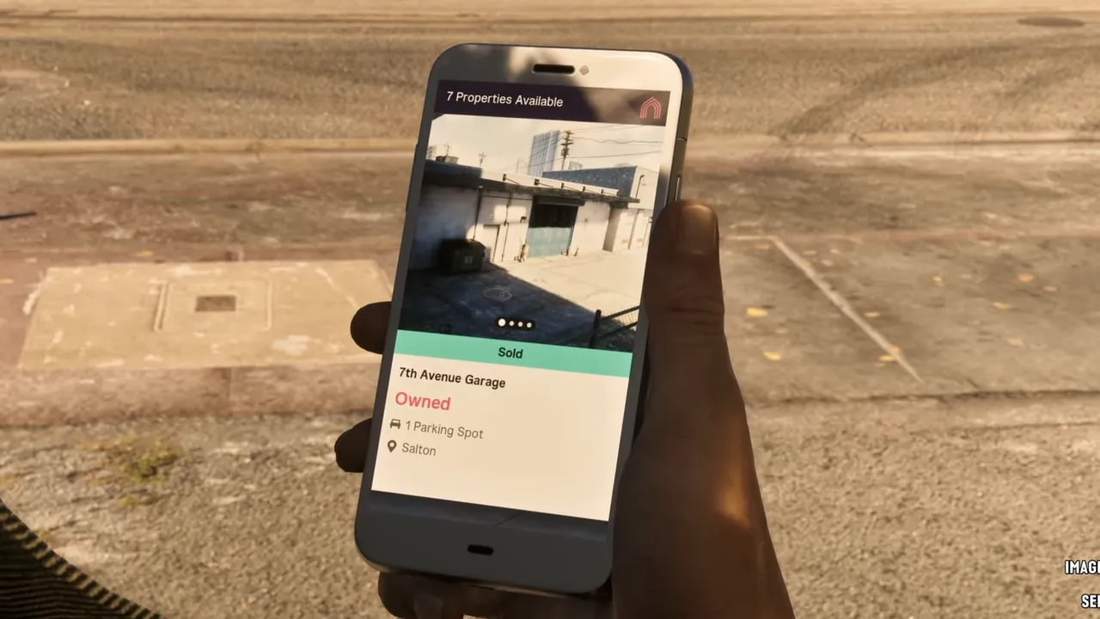
A garage can serve as a small satellite base when your actual home is miles away. Depending on the location and facilities, it gives you somewhere to:
- Switch to another stored vehicle.
- Manage your weapon loadout.
- Access health items or opportunities to boost focus.
- Regroup without driving all the way home.
Don’t expect every garage to replace an apartment. Most won’t let you change outfits, for example. I think of them as useful stops between proper home visits.
Then there is the obvious benefit: more vehicle slots. Purchased cars need to be registered to you, and storage is limited. An apartment with two parking spaces really does leave you with only so much room for automotive nonsense.
Buying garages expands that capacity across the map. You can also use the phone app to have your vehicle brought to you, which makes maintaining a collection much more convenient.
4. Stealth Is More Viable Than You Might Expect
GTA 6 introduces stealth, but I don’t think it quite sells how far you can take it. Some missions allow flexibility, and optional objectives such as drug dens or gang compounds can be approached surprisingly quietly.
I’m not claiming this is suddenly a dedicated stealth game. It is a fairly basic system, and enemy reactions can be inconsistent. But as somebody who enjoys sneaking through places, I have cleared some optional areas without turning them into a full-scale shootout.
Scout first, then work through isolated enemies
The yellow detection meter above an enemy fills as they notice you. Once it fills completely, you’ve been spotted. Cover, changes in elevation, and careful movement help keep that from happening.
My preferred approach is:
- Use binoculars before going in. Aim at enemies and use the D-pad tagging input to mark them so you can track their positions.
- Look for separation. An isolated enemy is easier to deal with without somebody else seeing it happen.
- Use stealth takedowns or a suppressed pistol. Compatible pistols can receive a silencer upgrade at a gun shop fairly early.
- Use distractions. Bottles, cans, bricks, and even objects such as a hammer can be thrown to draw attention elsewhere.
- Move deliberately between cover. There is no benefit in rushing the last few metres and undoing all your preparation.
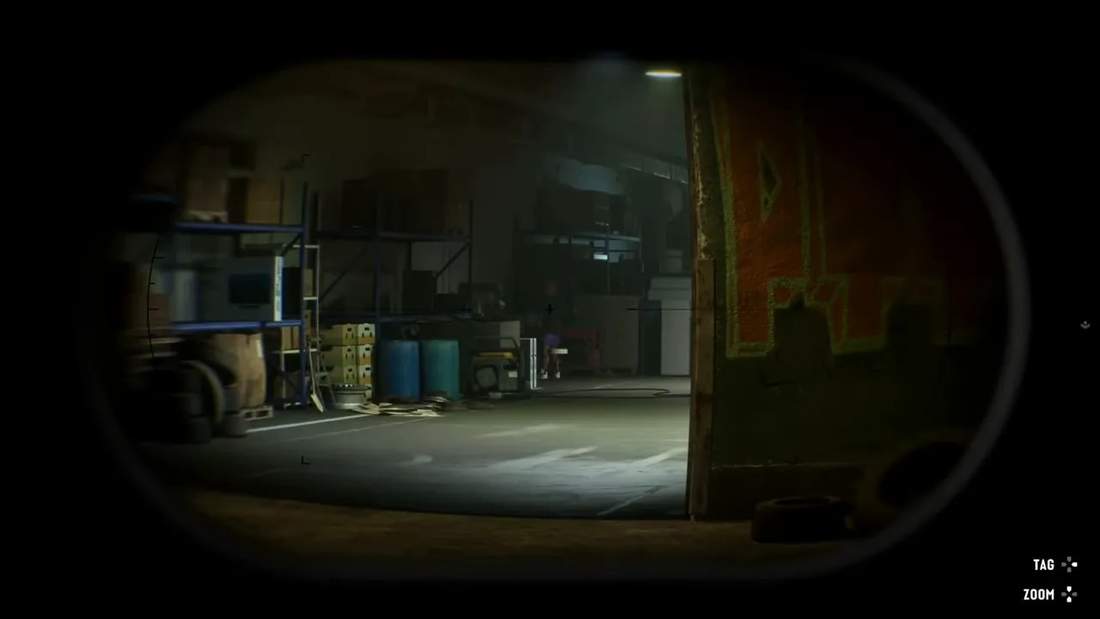
With suppressed shots, spacing and sightlines matter. If enemies are far enough apart and cannot see one another, you can sometimes work through them one by one.
Even a small mistake doesn’t always alert the entire area. I’ve had situations where quickly taking out one or two enemies who spotted me kept everything contained. I’ve also had it go completely wrong. Don’t treat a quick recovery as a guarantee.
The binoculars are especially easy to forget because they are introduced and then stop being a regular point of emphasis. In a game this long, that is enough for a useful tool to disappear from my brain.
And even if the quiet approach eventually falls apart, it still helps. Getting spotted by five enemies is a much better situation than getting spotted by ten. You can take damage pretty damn quickly.
3. Keep Saved Outfits in Your Vehicle
At your apartment wardrobe, you can save an outfit and add it to your vehicle. I recommend doing that for two completely different reasons: looking cool and avoiding the police.
The first one is personal. Missions and other situations can put you into different clothes, replacing the outfit you carefully assembled. Having a saved look in the car means you can change back without going home.
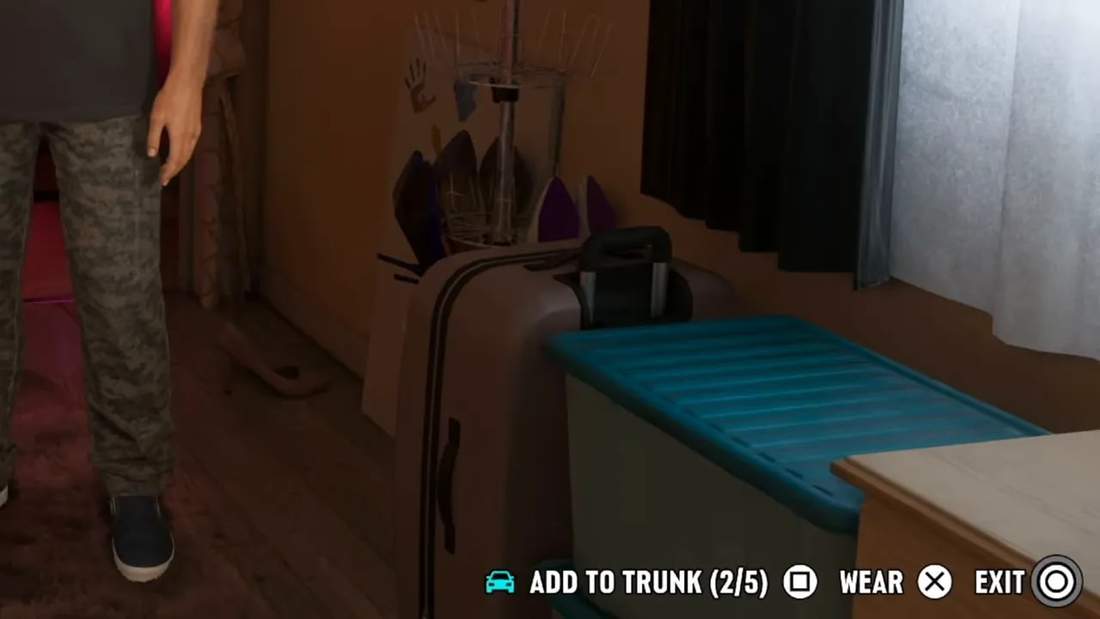
The second reason is more practical. When the police know your appearance, changing into another outfit helps remove the clothing-related visual identifier from your heat information.
That doesn’t mean changing a shirt magically ends every pursuit. It means the police no longer have an accurate description of what you’re currently wearing, making evasion easier.
So I keep more than one look available in the vehicle. One is for fixing whatever questionable fashion decision a mission has made for me. Another is for when being recognisable is becoming a problem.
2. You Can Push Cars and Stranded Boats
This is such a small mechanic, and I love it: you can physically push vehicles.
Walk up to the front or rear of a car and keep moving towards it. After a moment, your character starts pushing it slowly. A button prompt can then appear for a stronger shove that moves it further.
Yes, it can look a little superhuman. I’m not going to complain too much when the alternative is abandoning a vehicle because it got stuck somewhere stupid.
The really useful application is boats. If you run one aground, you can push it from different directions to get it back into the water.
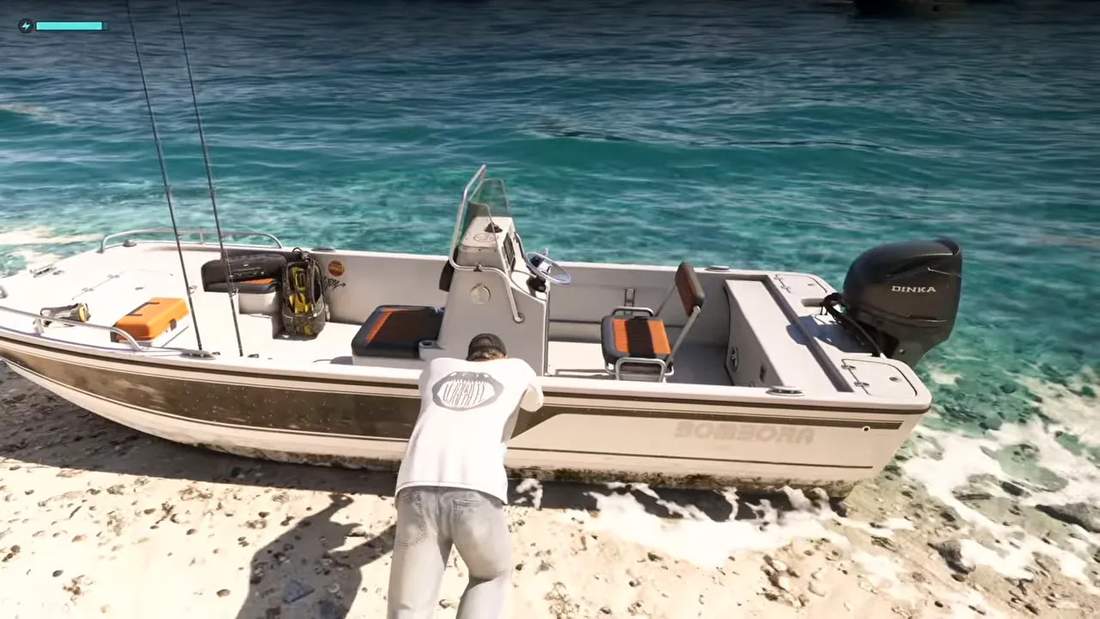
That has saved me more than once. A beached boat no longer has to mean a long walk or an even longer swim.
There is also the obvious sandbox potential. I’ve pushed cars down slopes and into pedestrians, because apparently I cannot be trusted with even the simplest new mechanic. I’m very curious how creative people will get with it.
1. The Story Takes Its Time Getting to Vice City
If you’re following the main missions and doing some side activities along the way, you can spend ten hours or more before the story brings you into Vice City proper.
That isn’t the same as the city being locked away. From what I tested, you can get into a car and head there early. I didn’t find a complete barrier preventing the trip.
The distinction is between where you can physically travel and where the story is currently directing you. The opening stretches keep you around the island region inspired by the Florida Keys, then move through farmland and suburbs before gradually bringing you into the city.
My advice is not to rush that progression. The regions have enough character and activities to feel like distinct parts of the game, rather than a long queue before the supposedly important bit.
Early missions also give you tools and resources that make life easier later. You can absolutely make a beeline for Vice City and start messing around, but I would spend some time getting properly equipped first.
If you expected an entirely urban adventure from the first hour, adjust that expectation. There is a lot of game outside the city, and I think it is worth enjoying.
Bonus: How GTA 6 Cheats Unlock
If your ideal GTA session begins with activating a pile of cheats and causing absolute chaos, there is a catch: you need to finish the main story before the cheats menu becomes available.
The requirement is 100% story completion, not 100% completion of absolutely everything in the game. You don’t need to collect every last thing just to gain access to the menu.
Once the story is finished, the cheats menu is available through the pause menu. However, individual cheats have their own unlock requirements.
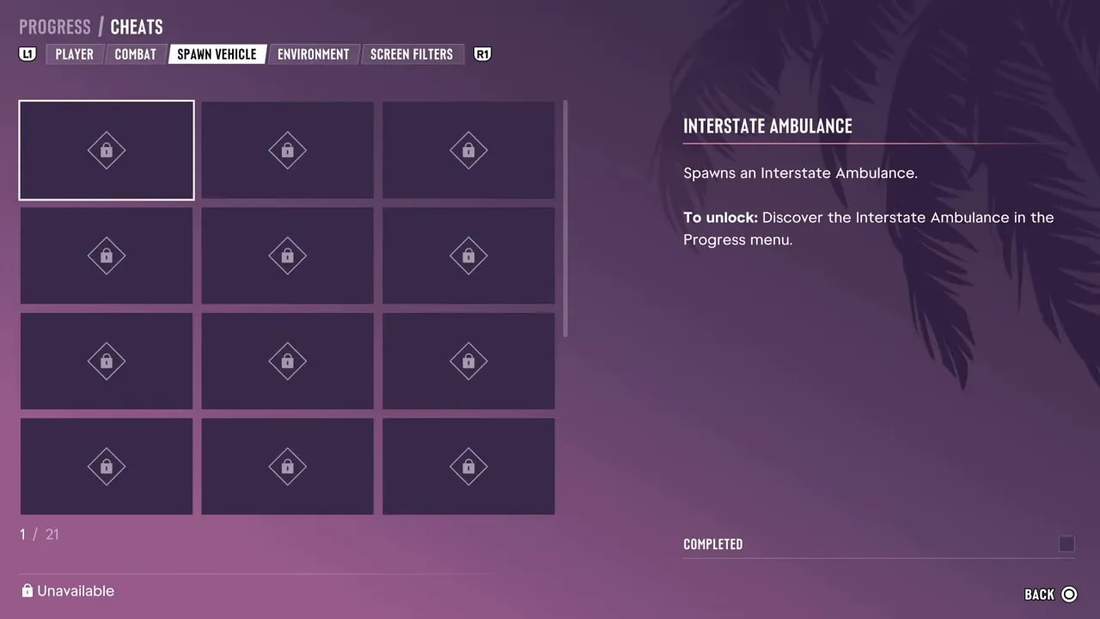
I won’t spoil the specific goals here, but being thorough with side activities helps you work towards those unlocks while you play. Some of the most appealing cheats require a fair bit of effort, so finishing the story is only one part of the process.
One Last Tip: Being Stranded at Sea Has a Surprise
If your boat sinks, explodes, or otherwise leaves you floating miles from anywhere useful, don’t immediately assume you’ve signed up for the world’s most boring swim.
Far enough out at sea, a surprise rescuer can arrive on a personal watercraft and give you a way out. I won’t get more specific than that, because the encounter is better left as a small discovery.
That is the thing I keep coming back to with GTA 6. There are big missions and spectacular moments everywhere, but there is also a lot of enjoyment in realising the game has accounted for some ridiculous situation I got myself into. Take your time, check the menus, and give those apparently minor systems a chance. They might save a lot of hassle, or just give you another excuse to cause trouble.